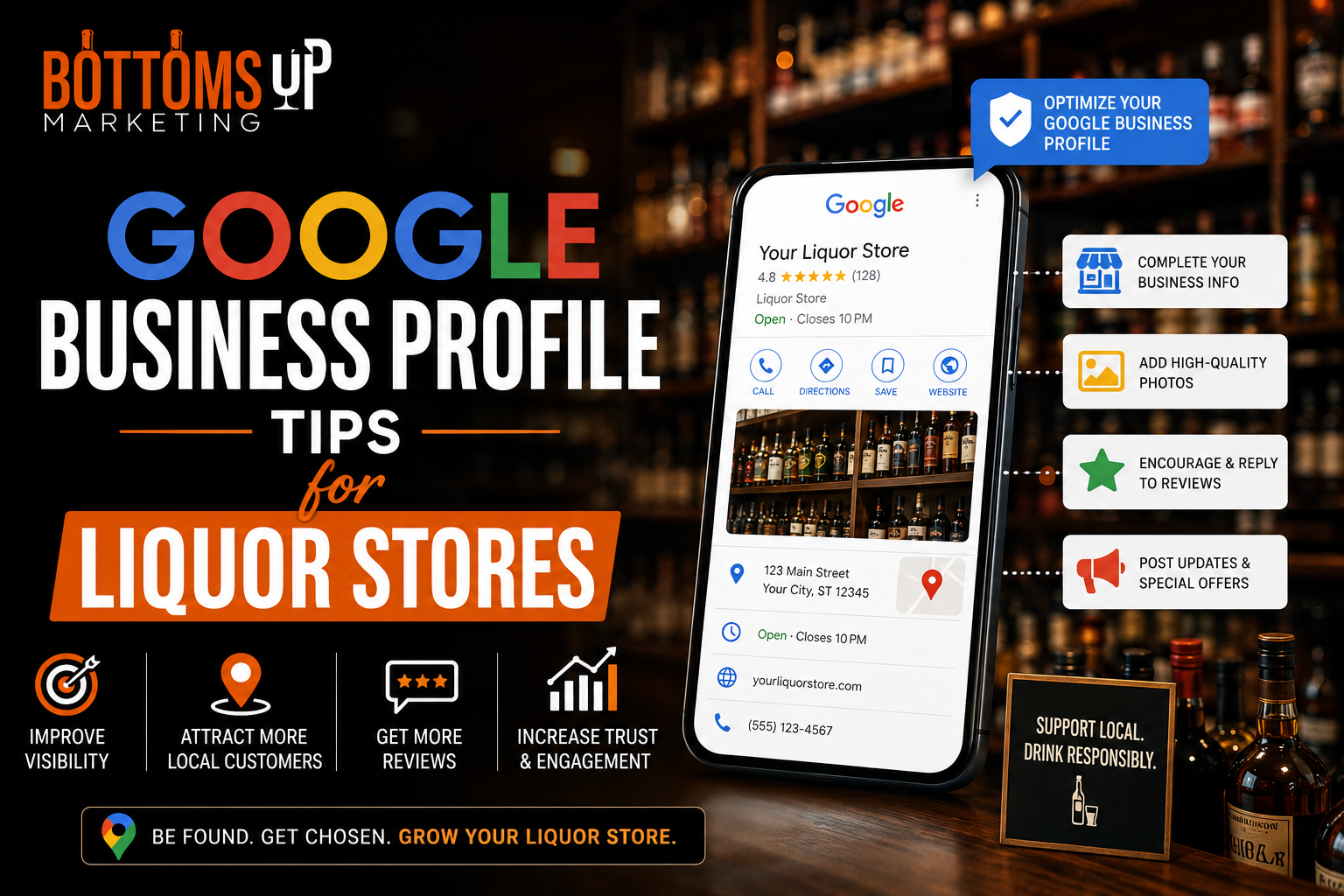
When customers need to find a nearby liquor store, Google Search and Google Maps can play an important role in their decision. A well-maintained Google Business Profile can make it easier for potential customers to discover your location, check essential business information, read reviews, and decide whether to visit.
For liquor stores, however, Google Business Profile optimization requires more than simply adding keywords and uploading attractive photos. Alcohol is a restricted category under Google’s Business Profile content policies, so store owners need to understand the rules before publishing promotional content.
Here are practical Google Business Profile tips to help your liquor store maintain accurate information, improve its local presence, and provide a better customer experience.
1. Use Your Real Business Name
Your Business Profile name should match the name your customers see in the real world.
Do not add extra keywords to the business name simply because you want to rank for terms such as “best liquor store” or “liquor store near me.”
Google specifically states that business names should accurately represent the real-world business name, while additional information such as address, hours, and category belongs in the appropriate profile fields.
Keeping your business name consistent helps establish trust and reduces the risk of profile issues.
2. Choose the Most Relevant Category
Your primary category helps Google understand what your business is and which searches may be relevant.
Choose the most specific category available that accurately represents your core business. Google recommends using as few categories as necessary and selecting categories that accurately represent the business rather than treating categories as keyword fields.
Avoid adding unrelated categories simply to try to capture additional searches.
3. Keep Your Address Accurate
For a physical liquor store, your location information needs to be accurate.
Customers should be able to use Google Maps to find your actual storefront. Your address should match the real-world location and other business information.
This is particularly important because Google states that businesses associated with products requiring a minimum customer age, including alcohol, cannot operate as service-area businesses without a shopfront.
4. Make Sure Your Hours Are Correct
Few things frustrate customers more than arriving at a store when Google says it is open but the business is actually closed.
Review your regular hours regularly and update special hours when necessary.
Consider checking your profile before holidays or other dates when your operating schedule may change.
Accurate hours can improve the customer experience and reduce unnecessary calls from people simply trying to determine whether you are open.
5. Write a Useful Business Description
Your business description should explain what makes your store unique.
You can mention your location, history, store focus, customer experience, and general product categories where appropriate.
However, avoid turning the description into a keyword-stuffed advertisement.
Google recommends that descriptions provide useful information about the business and its offerings. It also says business descriptions should not focus on special promotions, prices, or sales and should not contain links.
A clear, natural description is more useful than a paragraph packed with repetitive keywords.
6. Add High-Quality Business Photos
Photos can help potential customers understand what your business looks like before visiting.
Consider adding high-quality images of:
Storefront
Show customers what your location looks like from the outside.
Interior
Give potential visitors an idea of the shopping environment.
Team
Authentic team photography can make the business feel more approachable.
Brand Experience
Show visual elements that communicate what makes your store different.
Keep images professional, accurate, and relevant to the business.
7. Build a Genuine Review Strategy
Reviews are an important part of local reputation management.
Encourage customers to leave honest feedback about their real experiences, but do not manufacture reviews or offer incentives in exchange for them.
Google’s policies prohibit fake engagement, including reviews that are not based on genuine experiences and reviews created through incentives.
The best long-term strategy is simple: provide excellent customer service and make it easy for genuine customers to share their experiences.
8. Respond to Reviews Professionally
Don’t treat reviews as a one-way communication channel.
Thank customers who leave positive feedback. If someone reports a problem, respond professionally and try to move the conversation toward a useful resolution.
Your responses can also show potential customers that your business pays attention to feedback.
Avoid arguing with customers or revealing private information in public responses.
9. Be Careful With Alcohol Promotions
This is one of the most important tips for liquor stores.
Google’s Business Profile policies classify alcohol as restricted content. Content promoting the sale of restricted goods cannot include certain promotional elements, such as deals, coupons, pricing information, or links to pages where customers can purchase restricted goods.
Therefore, do not assume that standard promotional tactics used by other retail businesses are automatically appropriate for a liquor store’s Google presence.
Before publishing posts or promotional content, review the current Google policies and applicable local laws.
10. Don’t Add Alcohol Products to the Google Product Catalog
Liquor stores should also be aware of Google’s restrictions around products.
Google’s Business Profile guidelines state that regulated products, including alcohol, are not permitted in Business Profile product content.
This means you should not treat the Products section as an online liquor catalog without first understanding Google’s current restrictions.
11. Keep Your Website and Phone Number Consistent
Your Business Profile should connect customers with the correct website and phone number for the specific business location.
Google recommends providing the website representing the individual business location and a phone number that connects to that location when possible.
Consistency between your website, Business Profile, directories, and other online platforms can also strengthen your local presence.
12. Avoid Duplicate Business Profiles
If your liquor store has one physical location, don’t create multiple profiles simply to target different keywords.
Google’s guidelines state that there should generally be only one profile per business, and businesses should not create multiple pages for the same location.
If you operate multiple legitimate locations, each location should be handled according to Google’s rules for chains and individual business locations.
13. Monitor Your Profile Regularly
Google Business Profile optimization is not a one-time task.
Check your profile periodically to make sure:
- Business information is accurate
- Hours are current
- Address is correct
- Phone number works
- Website points to the right location
- Photos remain relevant
- Reviews receive appropriate responses
- Categories accurately describe the business
- Published content follows Google’s current policies
Regular monitoring can help you identify problems before they affect customers.
14. Focus on the Customer Experience
The ultimate purpose of your Google Business Profile is not simply to rank higher.
It should help customers answer basic questions quickly:
Where is the store?
When is it open?
How can I contact it?
What does the store look like?
What do other customers say about their experience?
When your profile provides accurate and useful information, it becomes a stronger part of your overall local marketing strategy.
Turn Your Google Business Profile Into a Local Marketing Asset
A properly managed Google Business Profile can support your liquor store’s online visibility and make it easier for local customers to discover useful information about your business.
The key is to focus on accuracy, consistency, authentic customer experiences, quality photos, appropriate categories, and helpful information. At the same time, liquor stores need to pay close attention to Google’s restrictions because alcohol is a regulated category.
Rather than trying to manipulate rankings with keyword stuffing, fake reviews, duplicate profiles, or inappropriate promotions, build a profile that accurately represents your business and gives customers the information they need.
Combined with local SEO, a strong website, reputation management, and other digital marketing strategies, your Google Business Profile can become an important part of your liquor store’s long-term online presence.
FAQs
Can a liquor store have a Google Business Profile?
Yes, a physical liquor store with a qualifying storefront can have a Google Business Profile. Google specifically notes that businesses associated with age-restricted products such as alcohol are not permitted as service-area businesses without a shopfront.
What category should a liquor store use on Google?
Choose the most accurate and specific category available for your business. Google recommends selecting categories that represent the core business rather than adding categories simply as keywords.
Can liquor stores add alcohol products to their Google Business Profile?
Google’s guidelines prohibit Business Profile product content related to regulated products, including alcohol.
Can a liquor store post alcohol discounts on Google?
Alcohol is restricted under Google’s Business Profile content policies. Promotional offers, pricing information, coupons, and similar sales-oriented content for restricted goods are subject to restrictions. Always check Google’s current policies before publishing promotional content.
How can a liquor store get more Google reviews?
Focus on providing a strong customer experience and inviting genuine customers to share honest feedback. Do not buy reviews, create fake reviews, or offer incentives in exchange for reviews, as Google prohibits fake engagement.
How often should a liquor store update its Google Business Profile?
Review the profile regularly, especially whenever your business hours, contact information, location details, or other important information changes. Seasonal and holiday hours should also be updated when applicable.
Does Google Business Profile help local SEO?
A well-maintained Business Profile can help customers discover your business through Google Search and Maps and provides important information about your location, hours, photos, and reviews.
